
FortiSwitch (Malaysia) Ethernet Switches – Secure, Scalable, and Managed
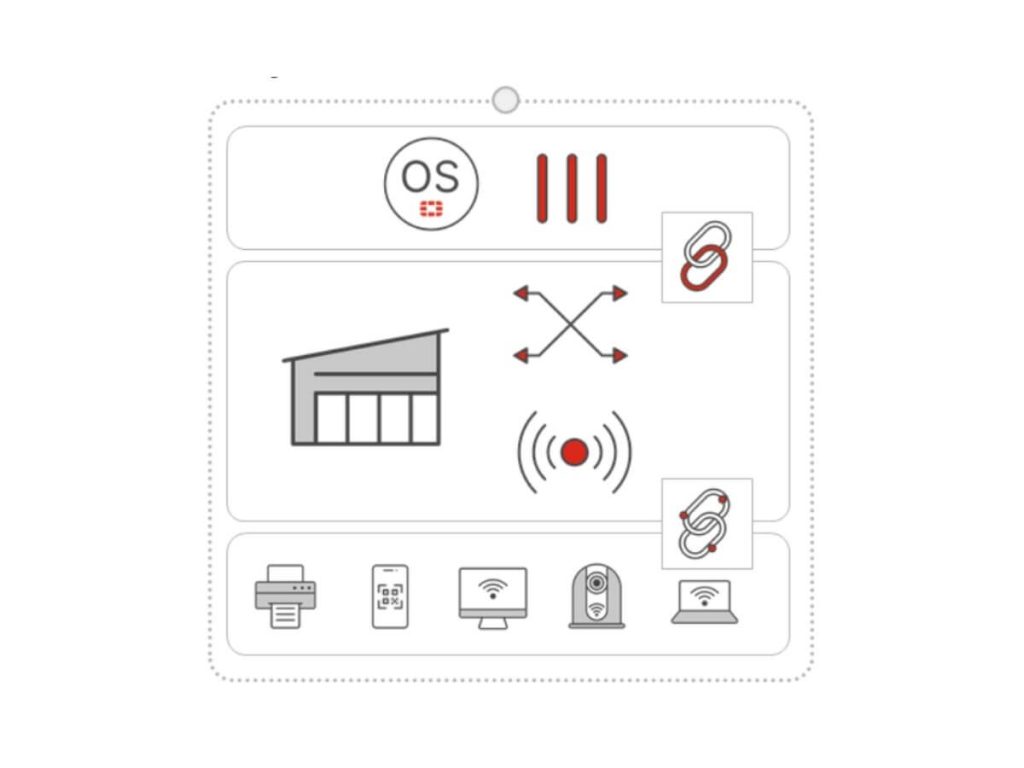
Image via fortinet.com
Boost your network’s efficiency and fortify its defenses—the smart choice for your organization.
- Scale your wired or wireless network easily as your organization grows, with flexible options for businesses of any size.
- Enjoy superior data throughput and low latency for smooth operation of critical applications.
- Harness intelligent automation and advanced analytics to enhance your network’s productivity.
What is a FortiSwitch?
FortiSwitch is a powerful and flexible network switch that enhances performance and security for network infrastructures. Ideal for streamlining operations and strengthening defenses, FortiSwitch supports various connectivity needs and elevates network performance.

Image via fortinet.com
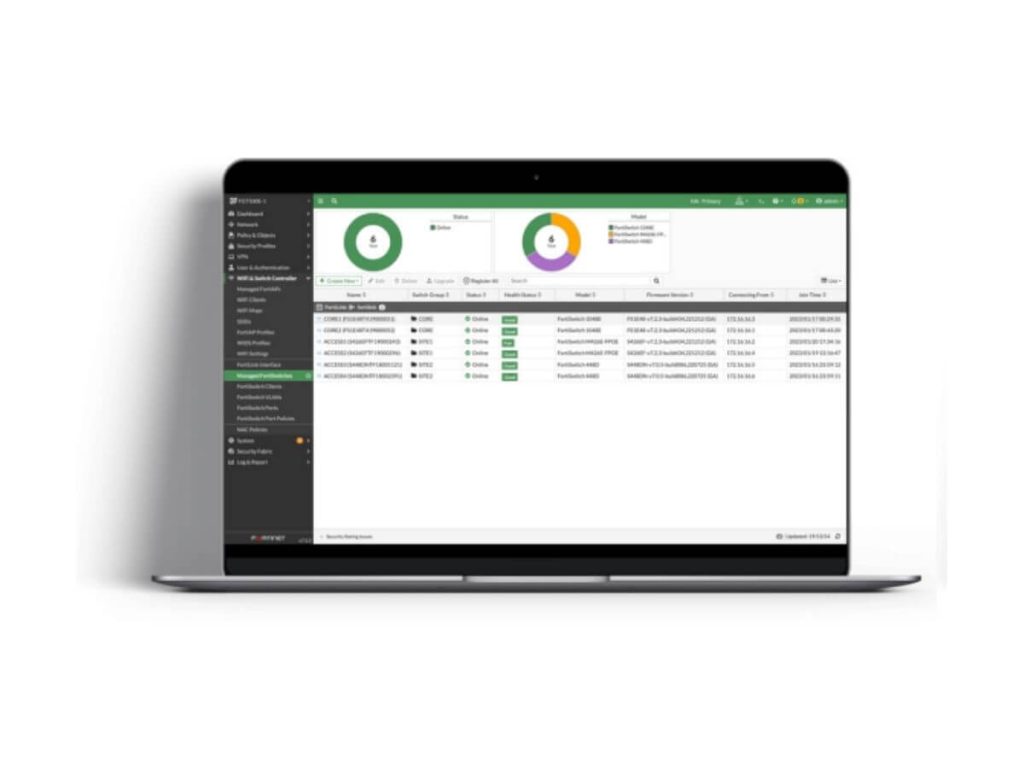
Image via fortinet.com
Features and Capabilities
Integrate with existing Fortinet solutions for a unified network architecture that optimizes traffic flow.
Secure Networking Through FortiLink
Enhance your network management with FortiLink, the innovative protocol that seamlessly integrates FortiGate Next-Generation Firewalls and FortiSwitch. This integration transforms your switch into a logical extension of your security appliance, providing:
- Centralised Security Management: Manage your entire network security and access layer functions through a single, user-friendly FortiGate interface. No separate controller or license is required.
- Integrated NAC (Network Access Control): Automatically identify and secure devices as they connect. Whether it’s an IoT camera or a laptop, FortiLink ensures every device follows your security policy.
- Dynamic Micro-Segmentation: Automatically isolate compromised devices at the port level to prevent lateral movement of threats across your network.
- Simplified Troubleshooting: Gain hop-by-hop visibility of your wired and wireless clients. Quickly identify cable issues or configuration errors directly from the FortiOS dashboard.
Operational Simplicity
Simplify your Ethernet switching management with FortiSwitch. Experience secure, zero-touch deployment in minutes, whether in standalone or FortiLink mode with FortiGate switch controller compatible.
Benefit from intuitive workflows and a unified view to efficiently provision, manage, and optimize your small business or remote branches at scale.
Centralized management—cloud or on-premises—gives you a cohesive view of your LAN and security, including SD-WAN and 5G gateways for SD-Branch setups.
Enhance user experience, boost operational efficiency, and reduce mean time to repair while effortlessly tackling network and security issues.
Scalable and Flexible
Scale your small business or remote branch with FortiSwitch access architecture, designed for outstanding security and performance. With up to 48 ports in a compact 1 RU form factor, FortiSwitch empowers your enterprise with the essential scalability you need to thrive.
FortiSwitch Series Specifications
FortiSwitch models are organized into several series based on port density, performance, and deployment use cases. Each series is designed to support different network sizes from small offices to campus core infrastructure.
| Series | Best For (Malaysia Use Case) | Ports | Uplinks | PoE Power |
|---|---|---|---|---|
| 100 Series | SMEs & Retail Branches | 8–48 GE | 1G SFP / 10G SFP+ | 65W – 740W |
| 200 Series | Standard Office LAN | 24–48 GE | 1G SFP | Optional PoE+ |
| 400 Series | Enterprise & WiFi 6/7 | 24–48 (inc. 5G Multi-Gig) | 10G SFP+ | PoE+ & UPOE |
| 500 Series | Campus Aggregation | High-Density GE | 10G & 40G QSFP | Aggregation Grade |
| 1000–3000 Series | Data Center & Core | 10G/25G/100G | Up to 100G | 4.0 Tbps Capacity |
Common FortiSwitch Use Cases
Office Network Connectivity
Connect employee workstations, IP phones, and printers while enforcing centralized security policies through integration with FortiGate.
Wireless Access Point Deployment
Provide reliable PoE connectivity for FortiAP, enabling simplified installation and centralized wireless management.
IP Surveillance Systems
Support IP cameras and video monitoring infrastructure with stable network performance and PoE power delivery.
Campus and Multi-Floor Networking
Aggregate multiple access switches with high-speed uplinks to support scalable connectivity across buildings or office floors.
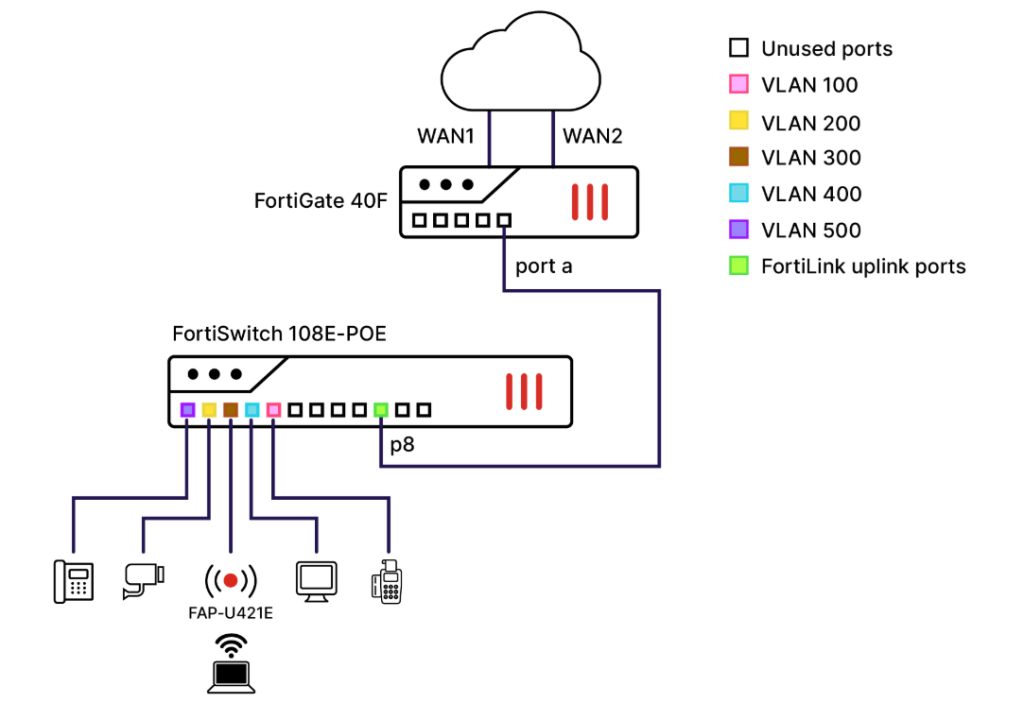
Image via fortinet.com
FortiCare Support for FortiSwitch
FortiCare provides technical support and maintenance to ensure FortiSwitch devices operate securely and efficiently. It includes expert troubleshooting, firmware upgrades, and assistance with resolving network issues to minimize downtime.
FortiCare service levels include:
- FortiCare Essential: Basic support with next-business-day web response for critical and non-critical issues.
- FortiCare Premium: 24×7×365 support with 1-hour response for critical incidents and web, chat, or phone assistance.
- FortiCare Elite: Enhanced SLA with dedicated support handling and extended end-of-engineering support for critical environments.
With FortiCare, organizations gain faster issue resolution, regular firmware updates, and reliable support to keep their Fortinet infrastructure running smoothly.
Get the Best Price for FortiSwitch
Transform your networking capabilities for superior data throughput and robust protection.
FAQs on FortiSwitch
Is FortiSwitch worth it?
FortiSwitch features and benefits tailored to your network access. It integrates seamlessly with Fortinet’s security fabric for enhanced security and centralized management.
FortiSwitch is a scalable Ethernet solution, offering various models that adapt to changing business requirements. With a focus on performance and reliability, including Power over Ethernet support, it meets the demands of modern applications.
How do I connect FortiSwitch to FortiLink?
First, ensure your FortiGate is configured to manage FortiSwitches by enabling FortiLink in the “Network” section of the web interface. Then, connect the FortiSwitch to the FortiGate using an Ethernet cable on the designated FortiLink interface.
Once connected and powered on, the FortiGate should automatically detect the FortiSwitch. You can then manage switch settings, VLANs, and security policies through the web interface, ensuring both devices have compatible firmware for optimal performance.
What is the limit of FortiSwitch?
The limit of FortiSwitch Data Center switches determined by factors such as device support, performance, and network traffic capacity.
Designed with Fortinet’s security fabric integration, these switches vary in specifications, with lower models suited for less demanding environments and higher-grade models capable of handling firewall aggregation applications or enterprise network core.
The network’s design and architecture also influence the FortiSwitch’s capabilities, especially when paired with FortiGate firewalls.
What FortiSwitch series should I select?
Choosing the right model depends on your port requirements and power needs:
- For SMEs & Startups (1–50 users): The 100 Series (e.g., FS-124F-POE) is the most popular choice in Malaysia. It offers 24 ports and 10G uplinks, providing enterprise-grade speed at a budget-friendly price.
- For Schools & Manufacturing Plants: The 400 Series is recommended for environments requiring high-density PoE for industrial-grade Access Points (FortiAP) and advanced security cameras.
For Large Offices & Data Centres: The 500 or 1000 Series provides the high-capacity aggregation and 40G/100G speeds needed for backbone connectivity across multiple floors or buildings.
Other Products From Fortinet
Discover how products within Fortinet Security Fabric protect your assets against security breaches.
Streamline your security event by analyzing log data for forensic research and actionable insights.
Manage security and network for all your Fortinet devices from one centralized platform.
Upgrade your network with adaptable access points, offering secure wireless connectivity for any setting.
The essential controller for your FortiSwitch. Use FortiGate to unlock FortiLink management, enabling you to configure port security, VLANs, and NAC policies across multiple offices from a single dashboard.